FREE LD product

FREE LD product
FREE Giraffing Out Aloud Product worth $40+ when you open a LD account
Showing posts with label Print & Cut. Show all posts

Thursday, 24 April 2014

Bee Happy

Print&Cut,bee card,pazzles,cuttingfiles

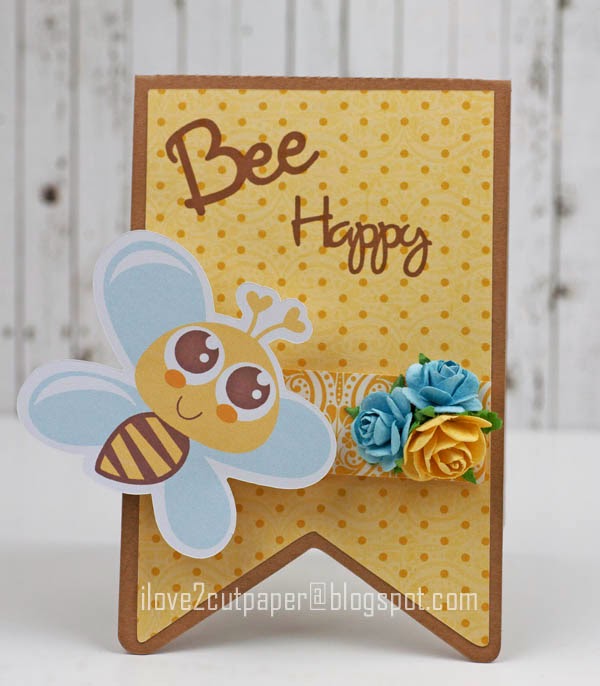
Have you ever made a card and thought the combination of the paper and images just work? Well, that's what I think about this card.  When a project comes together it makes me "Bee Happy".  It's not often I feel this way with my projects, but I have fallen in love with this happy bee which I have cut using my 
Pazzles cutting machine.

Print&Cut,pazzles,misskatecuttables,

I have used a Miss Kate Cuttables file which is FREE to Pazzles Craft Room members.  In fact every 2 weeks Miss Kate Cuttables cutting files releases files ready for you to download.  I love the soft colours and the fact that they come as cuttable files in SVG and WPC file format for cutting machines.  I also love the fact that the cuttable files can be used for Print & Cut projects.


Print&Cut,svg,wpc,

Here, I have printed onto my patterned paper using the font to match the colour of the eyes of the bee.
actionwobbles,svg,wpc,cuttingfiles

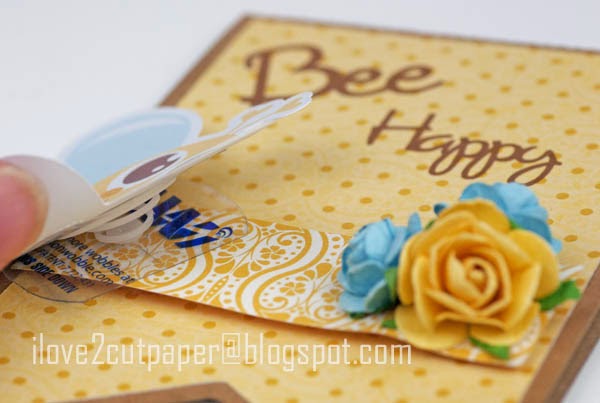
For the novelty factor, I have added an Action Wobble to the back of the image and I just can't help smiling when it wobbles!

Please hop over to the Pazzles Craft Room, HERE for full details on how I made this card using my Pazzles Inspiration.

Although, I am able to Print & Cut this image using my Pazzles Inspiration, just think how awesome it will be to create a ton of Print & Cut files using the NEW Inspiration Vue™ cutting machine.  It was recently launched by Pazzles, which has the benefit of an optical eye for precision cutting.....I just can't wait for mine to arrive.

Cutting Supplies:-
Pazzles Cutting Machine – Inspiration Vue™
 Inspiration Vue™ - Pre-Order Information
Bee Mine Be  (Miss Kate Cuttables) & Banner Box - Pazzles Craft Room Library


Thousands of Images 468x60

Let me know what you think of Print & Cut projects using your cutting machines.

Joanna x

Follow on Bloglovin


Wednesday, 9 April 2014

Easter Egg Tag - Miss Kate Cuttables

Easter Egg tag, easter gift, chick, Miss Kate Cuttables, Pazzles, svg

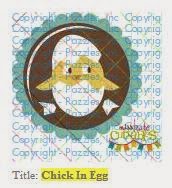
Whilst the kids are on their school holidays, I thought I would never have time to make any projects!  However, I found this cute Chick in Egg by Miss Kate Cuttables over in the Pazzles Craft Room Library and thought it would make a quick gift tag.


For speed, I Print & Cut the bottom layer of the chick.  You just need to spend a bit of time layering all the pieces, whilst referring to the copy, so that you get it layered up correctly using your software.  I then paper pieced the shell of the egg to give it egg-stra dimension cutting it our using my Pazzles Inspiration.

Easter Egg tag, easter gift, chick, Miss Kate Cuttables, Pazzles, svg

I also used a tag shape to layer my pieces, click image below. 


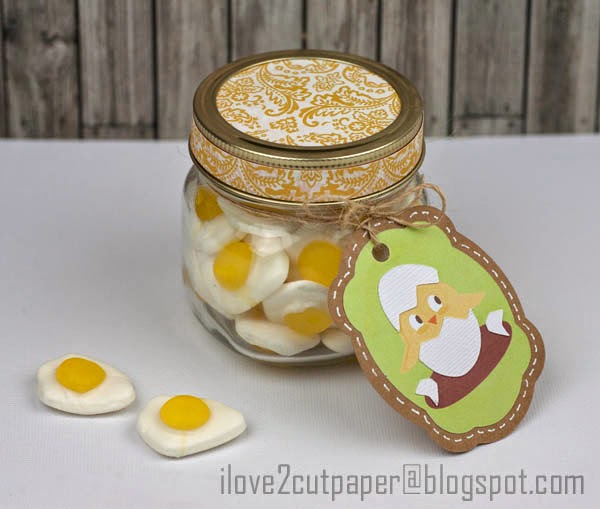
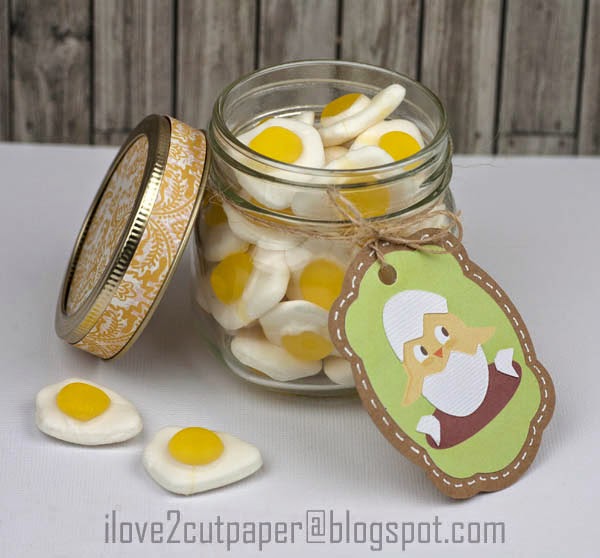
I used some twine and wrapped it round my little Kilner Jar.  I also decorated the top of my jar with some patterned paper from my stash.  I love how the lid comes apart just like the Mason Jars you see in the USA.

Finally, I filled my Kilner Jar with Haribo eggs.....my kids just love these and so do I, yummy!

Here, is a link to my YouTube Print & Cut tutorial  using my Pazzles which may help.  I made it a couple of years ago, so it's not perfect! 

Cutting Supplies:-
Pazzles Cutting Machine – Inspiration Vue™
 Inspiration Vue™ - Pre-Order Information
Chick in Egg & Time for tea (svg & wpc) - Pazzles Craft Room Library
Kilner Jar
Haribo Eggs


Thousands of Images 468x60

If you leave a comment please let me know if you found this blog post interesting?

Joanna  x

Follow on Bloglovin

Friday, 7 March 2014

Inspiration Vue™ Cutting Machine Pre- Order Information


Inspiration Vue™ - Cutting Machine, Print & Cut, Mac & Windows Compatible

Click the following link to take you to further details about the 


Oh my gosh, I am in a dilemma......I can't decide which colour to order for my NEW Inspiration Vue cutting machine. Red, Blue, Orange or Purple? I need to make a decision quick, can you help me?  When you go to above link you will see the full range of colours!!!!

PRE-ORDERS start Monday, March 10th, 2014.

Inspiration Vue

Tuesday, 24 December 2013

Candy Cane


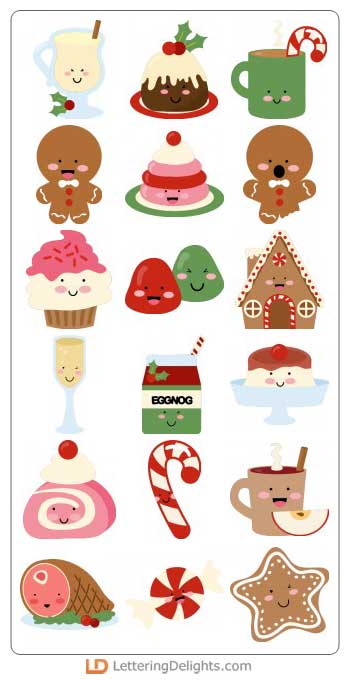
Here is another quick card using Print & Cut with my Pazzles Inspiration and the recently released LD Christmas Calories cutting files.

Electronic Die Cutter 468x60

I have used the Candy Cane cutting file from the same file and placed it within a rectangle shape.  I made an in-line of the rectangle and used the Rhinestone Feature to make my dotted border.  I selected one of the rhinestones and filled in in red using the colours from my svg palette.  I just placed my image within the rectangle.


I then, created my own sentiment using one of the fonts already installed on my computer.  I just alternated the colouring of the lettering using my colour palette from the svg file.

I just printed the card using my printer without the need to make any registration boxes as it was simple enough to cut around the outline using my paper trimmer.

At the moment, I am suffering from Pleurisy (which is quite painful) and I am behind in posting my projects, which will now have to wait until after Christmas.

So, here is wishing everyone of my followers on my BLOG and FACE BOOK PAGE a Happy Christmas and a healthy New Year.  

I appreciate everyone of my followers and all the comments that you leave on my blog, which inspires me to continue to post here.

Hugs and best wishes for 2014 ~ Joanna

Cutting Supplies:-

LD Christmas Calories - cutting files


Joanna x


*****


$99 Craft Room Vue 468x60

Tuesday, 24 September 2013

Little Devil Card


Soon, Halloween will be upon us and there are some amazing themed cutting files around.  I love this cute "Little Devil" that can be used for Halloween or at any time of the year, if you fancy.

I created my card base using my Pazzles Inspiration software.  I made an oval shape and then selected the scissors tool (cut straight line). I held down my shift key.  Then I moved my cursor across the oval at the top and bottom, then drew x2 straight lines.  Next I selected the eraser tool and I removed the top and bottom section of the oval.  Ta da.....new shaped card!


Print & Cut the cute little image onto my white card using my Pazzles Inspiration cutting machine.


I then separated the layers on the devil and selected the pink trim and ears, which I Print & Cut.


I layered the elements and added the eyes onto craft foam pads.
I also used the speech bubble in the set, but typed my own sentiment, then Print & Cut in the same way.


I used the Cut It Set below which has some very cute cutting files for your cutting machines by Lettering Delights.


Supplies :-

Zander Plays - Cut It Set - Lettering Delights
Font included in my Pazzles Software
Pazzles Inspiration - Cutting Machine

Click here for  a previous Print & Cut tutorial.

Follow on Bloglovin


Wednesday, 14 August 2013

Rocker Card - Pazzles Design Team


Sometimes I go a bit quite here on my blog, that's because behind the scenes of blog world I am preparing projects for various Design Teams.  So, here is my latest DT project for Pazzles which is a Rocker Card.

The Large Scallops, Scallop Mat and Cake cutting files are all available in the Pazzles Craft Room Library in wpc and svg format.


Please visit my blog post on the Pazzles Blog for more details about this
Layer Cake Rocker card.

If you use an electronic cutting machine you can sign up to the Pazzles Libary which is one of the largest on-line cutting file libraries.

In addition you can click the image below to take a look at the video tour.

Pazzles Craft Room has thousands of images, hundreds of videos, and one low price.

I would love to hear your comments here on my blog, then hop over to my Pazzles blog HERE for further details and access to the files used for my Layer Cake Rocker card in wpc and svg format suitable for most cutting machines!

Joanna x


Thursday, 4 July 2013

Happy 4th of July


I had to work an extra full day at school today, so I didn't have time to cut my Patriotic Stringbeans out as intended.  Never mind, that's what's so great about LD Cut It's, because when I got home, I just Print & Cut them out and made them into little shaped card using my Pazzles Inspiration cutting machine.


As the full-color LD Stringbean Bundle comes as Cut It's for your cutting machine you can change the colour of their hair, skin tone and accessories using your software.  For example, using the little girls above, I decided to alter the hair colour on one girl to black.  All you have to do is select the hair and select the colour you want from your Colour Menu! It is as simple as that!

stringbeans

The full-color LD Stringbean Bundle promotion continues for one more week and is valued at $152! 
Offer available till July, 9th midnight MST.

You can have all 380 full color, layered cuttables for FREE when you spend $45 over the next week.
Click here to see how the deal works and purchase your LD Stringbean Bundle or click image below.


Wishing all my American crafting followers a Happy July 4th, celebrations.

Joanna x