FREE LD product

FREE LD product
FREE Giraffing Out Aloud Product worth $40+ when you open a LD account
Showing posts with label graphics. Show all posts

Friday, 26 June 2015

Cut It Up Challenge Blog - #74 Stickers

Cut It Up Challenge Blog, ilove2cutpaper, Pazzles, Pazzles Inspiration, Pazzles Inspiration Vue, Inspiration Vue, Print and Cut, svg, cutting files, templates,

The weeks seem to go so fast and I can't believe it's Friday!  
Here is my Design Team project over at the Cut It Up Challenge Blog.


Cut It Up Challenge Blog, ilove2cutpaper, LD, Lettering Delights, Pazzles, Pazzles Inspiration, Pazzles Inspiration Vue, Inspiration Vue, Print and Cut, svg, cutting files, templates,

The challenge is to use 'stickers'.  Either, a sticker image and/or a sticker sentiment 
including a Die Cut on your project.  

Well.......I don't own many stickers, so I thought I would create my own!

Cut It Up Challenge Blog, ilove2cutpaper, LD, Lettering Delights, Pazzles, Pazzles Inspiration, Pazzles Inspiration Vue, Inspiration Vue, Print and Cut, svg, cutting files, templates, Cut It Up Challenge Blog

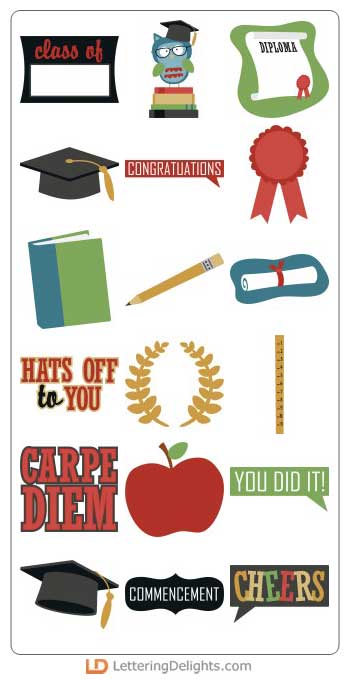
I used the cute owl graduate from the LD Hats off to You (GS)


 I imported the owl into my Pazzles software and vectorised the image to create my cutting line.

Cut It Up Challenge Blog, ilove2cutpaper, LD, Lettering Delights, Pazzles, Pazzles Inspiration, Pazzles Inspiration Vue, Inspiration Vue, Print and Cut, svg, cutting files, templates,

I then Print and Cut the file using my Pazzles Inspiration Vue, with a label sheet from Staples. Using the Print and Cut mat together with registration marks makes it SO EASY which ensures accurate cuts.  It is very simple to make your own stickers.  Instead of printing onto paper or cardstock you just print onto sticky label sheets.

ilove2cutpaper, LD, Lettering Delights, Pazzles, Pazzles Inspiration, Pazzles Inspiration Vue, Inspiration Vue, Print and Cut, svg, cutting files, templates,

I then cut this Graduation Hat from the LD Hats off to You - Cut It project set.  The set includes wonderful gifts for your graduation day.  I created the Graduation Hat for the top of my Kilner (UK) or Mason Jar (USA) which I had filled with chocolate coins.  I cut out 2015 using the same bright yellow cardstock as I used for my tassel. 

Cut It Up Challenge Blog, ilove2cutpaper, LD, Lettering Delights, Pazzles, Pazzles Inspiration, Pazzles Inspiration Vue, Inspiration Vue, Print and Cut, svg, cutting files, templates,

The graduation hat comes with .pdf instructions to help you assemble the project.  I think this makes a cute, inexpensive gift for Graduation Day, what do you think?

Be sure to hop over to the Cut It Up Challenge Blog to see my fellow DT members projects.  It would be lovely if you could join in the challenge, too.


The challenge ends July, 8th 2015 and is sponsored by Robin's Nest .  The winner will receive a $20 Gift Certificate.


Cutting Supplies :-
Pazzles Electronic Cutting Machine – Inspiration Vue

LD Hats off to You - Cut It Project Set
LD Hats off to You - Graphic Set

Joanna xx

Follow on Bloglovin
and LIKE my Facebook Page.

*****

Joanna x

Follow on Bloglovin
and LIKE my Facebook Page.

*****


Pazzles, Pazzles Inspiration, Pazzles Inspiration Vue, Print and Cut

Tuesday, 28 October 2014

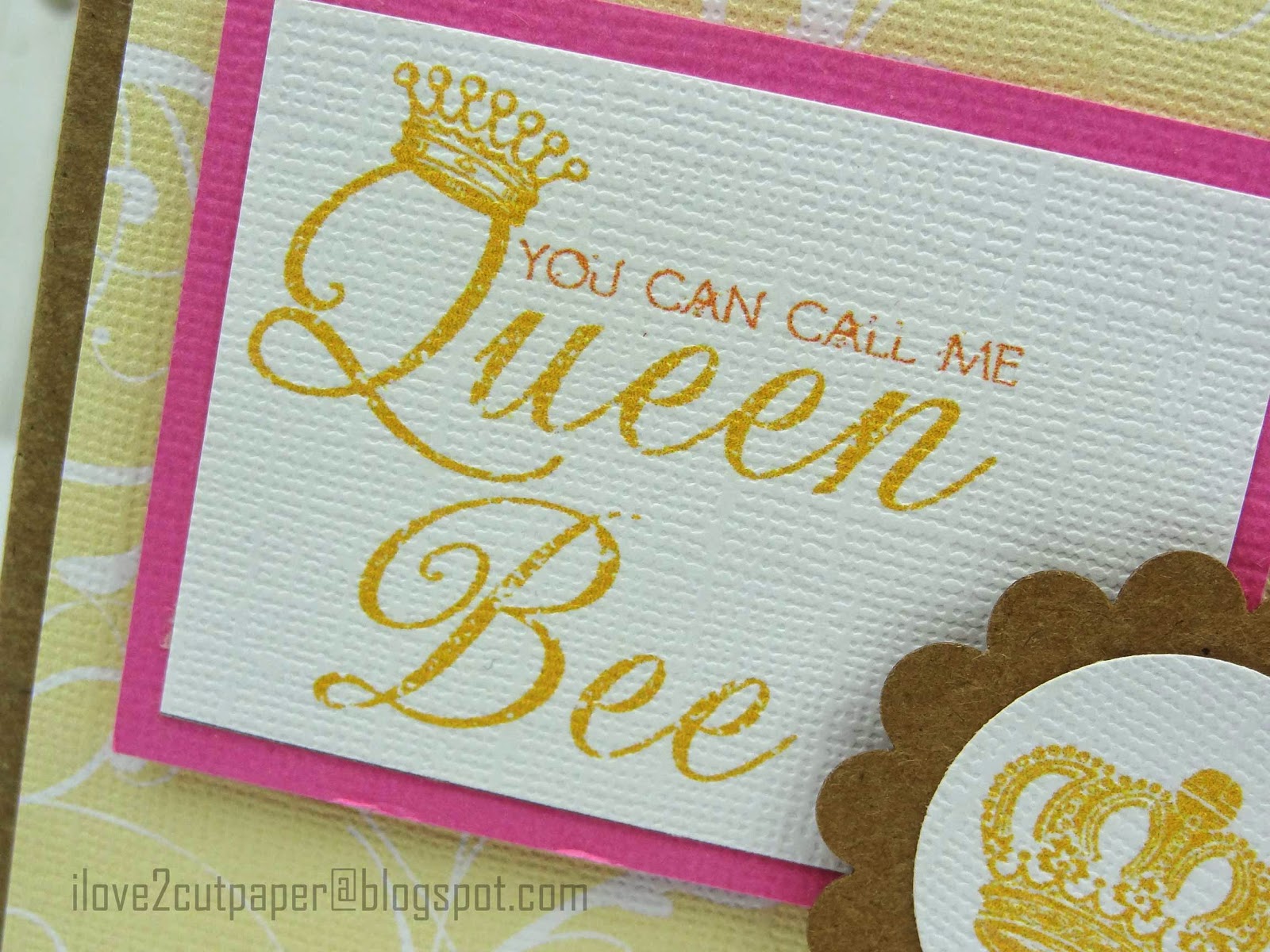
Queen Bee Graphic Set

Queen Bee graphics

Crikey, this is the quickest card I have made in my life!  The kids are on school holidays, and it is a case of sharing with you some awesome FREE files that can be used to make quick cards.  Obviously, if I had the time I would add some extra embellishments but actually I like the simplicity of it. 

The Queen Bee - graphic set  is DAY 4 of  LD's Harvest Hullabaloo FREEBIE offers.  Each day there are daily freebies until October 31st, midnight MST.  The daily FREEBIES are available for 24 hours only, and then revert back to their original price.

Queen Bee graphic set

This is such a pretty graphic set and easy to use.

Queen Bee sentiment - graphic

I simply imported the graphics in to my software and Print and Cut the elements out using my Pazzles Inspiration cutting machine.  I mat and layered the sentiment onto pink cardstock.  The background paper is a digital paper which I already had on my computer, which worked so nicely with the sentiment.

Crown graphic

Using my Pazzles software I drew a circle around the image and cut it out and layered it onto a scalloped circle.

Queen Bee card layout using Pazzles software

So, this is how it all looked on my mat.

7 days of FREEBIE files

So, remember to click the above image, to take you to the rest of the weeks FREEBIES during Harvest Hullabaloo, which ends October 31st.  If you still want the file after October 31st, you can select the link below in Cutting Supplies.

Cutting Supplies:-
Pazzles Cutting Machine – Inspiration Vue ($99 special price)
 Queen Bee sentiment & crown - Queen Bee Graphic
Harvest Hullabaloo - 7 days of FREEBIES AND 75% sale

*****

Click image below to see further details on the NEW Inspiration Vue cutting machine which uses a NEW OPTICAL EYE for precision Print and Cut. 

Inspiration- Vue Print and Cut


I love to read your comments ~ Joanna x

Follow on Bloglovin


Saturday, 6 September 2014

I Support You - FREE LD Printables

FREEBIE files


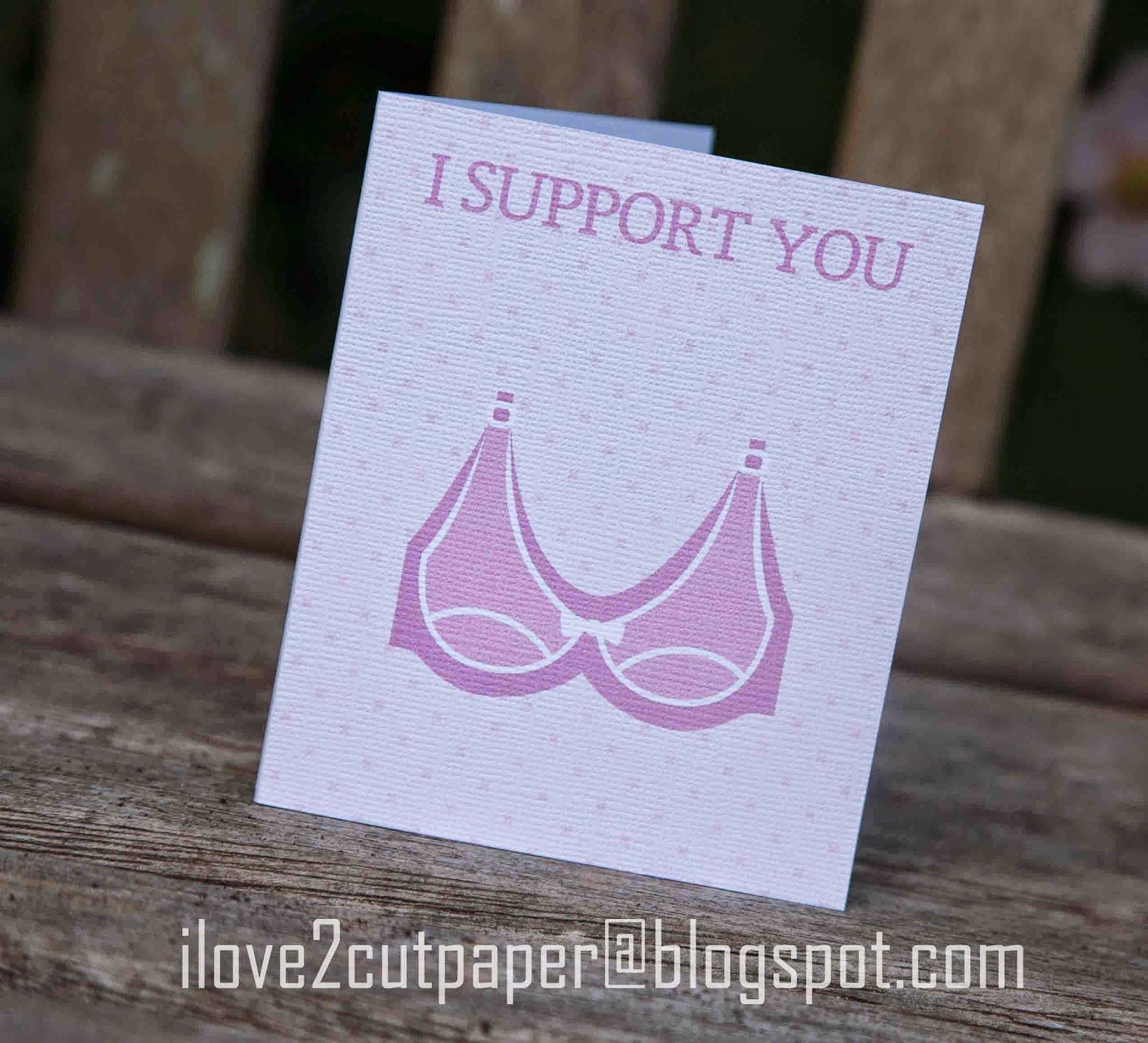
Here, is a quick card I made from a FREEBIE file for a special friend.  The card is simply printed out on my printer and then cut out using a paper trimmer.  Of course, if you have a cutting machine you can import the file and resize, then cut.

Even better, there are 3 FREEBIE files available till Sunday, 6th September, midnight, MST*. A printable (potpourri) set, a graphic set and a cut it set.  


Aren't they fabulous!

Click here to get your 3 FREEBIE files (sale ends Sunday)*
OR, click here to see all the files included in the I Wanna Grow Old With You product.

Cutting Supplies:-
Pazzles Cutting Machine – Inspiration Vue
LD I Wanna Grow Old With You Support - FREEBIE
LD I Wanna Grow Old With You - All product

*****

Click image below to see further details on the NEW Inspiration Vue cutting machine which uses a NEW OPTICAL EYE for precision Print and Cut. 

Inspiration- Vue Print and Cut

Bye for now ~ Joanna x

Saturday, 22 March 2014

FREE Font and $2 Dollar Cut It's (svg's) - SALE

Dog, bone, free font

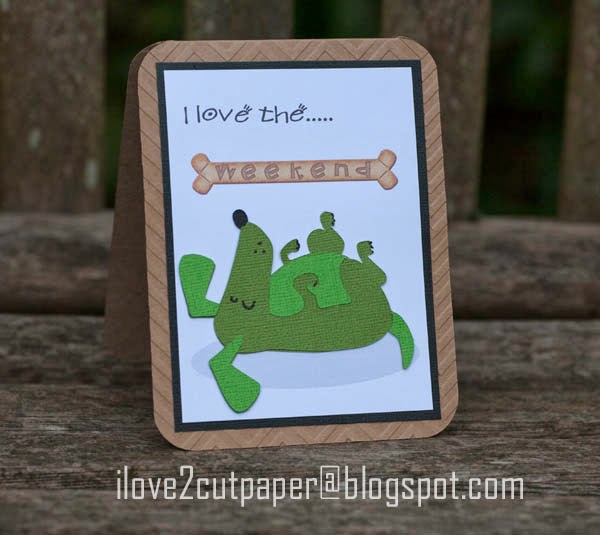
It's the weekend and I am as happy as a dog!  I have had a tough week at work and the weekend couldn't come soon enough.  I saw the LDJ Looney font (which is FREE to download this weekend) and decided to make a fun, quick card. using my Pazzles Inspiration cutting machine.


Lettering Delights Looney FREE Font till (23/03/14, midnight MST)

I used the Doggy - Cut It set (svg) for my laid out dog which is available
in the LD Dollar Sale.


I typed out my sentiment "I love the"  and  imported my "weekend" Doggie Treat sentiment once I had saved it as a graphics file.

LD Cut It's (svg) $2 and Graphics $1 - SALE ends Wednesday, March 26, midnight MST.
Save an additional 25% off a purchase of $10 or more! Coupon code: AllAboardSavings

Cutting Supplies:-
Pazzles Cutting Machine – Inspiration Vue™
 Inspiration Vue™ - Pre-Order Information
LD Doggy (Cut It Set), svg & LD Doggie Treat (Alphabet) - LD Dollar Sale
LDJ Looney - FREE Font (available till Sunday, 23/03/14)
Dollar Days - Lettering Delights (svg) SALE


Enjoy the Sale and the rest of the weekend.

Joanna x

Follow on Bloglovin

Friday, 16 August 2013

Thursday, 13 June 2013

LD Get Greedy Dollar Sale


LD Just Toolin' Around collection is out now, in time for Father's Day.  The collection includeds Cut It's, Cut It Project, Papers Pack and Graphic sets which are on SALE with hundreds of other products during the 
Get Greedy Dollar Sale!


Click images above or here for the Get Greedy Dollar Sale.


Thursday, 30 May 2013

You Stole My Heart - Auto Trace Tutorial


Mid flow into schools holidays, and there is so little time to craft, unless it's a quick card using Print & Cut.  I tried to have a go with this cute graphic file a few days ago, but couldn't get it to trace around the image very well, as you will see their is a feint grey shadow when you download the image.

I have used the LD Cops Graphics set and there is also a LD My Hero's Bundle which includes, Cops, Firefighters and Doctors sets....so adorable.

I was about to give up, but decided to have another go, to try and omit the grey outline surrounding the graphics image. I Auto Traced the image selecting the robbers black top and carefully moved the Intensity Detect making sure I got a neat enough trace (LOW-224).


Here is my autotraced image below.


I have thickened my line and made it green, for the purpose of this tutorial.  I moved the Auto Traced line on top my image.  Delete the scraggly bits to the right of the image as they are not needed.

Hope you are still with me!


Then, I made an Outline Thickness of 0.10 as seen by the red outline.  Don't worry if your lines are not the same colour.  The red outline is your cutting line and you can delete the green line.


Nearly there!  

Ready to print having made the registration boxes and selected null pen to temporarily remove the cutting line so that it does not print out!


As you can see in the above photo, the shadow outline from the image is still showing.  It finally worked.....using a bit of extra brain cell matter!  Looking back it seems easy.

I know....... my cutting mat is really shameful, but it is a very old one!


I have cut out one of my registration boxes and made a slight adjustment to the blade placement.  It has cut out beautifully.  Now to finish off the card.


I added a small punched heart that just about covered the $ sign on his bag.  I should have made it slightly bigger but my youngest child was trying to get to sleep.....forced Pazzles bedtime too!


I simply typed my sentiment onto some white thick paper and cut it using my paper trimmer. 
 

A bit of matting and layering using coloured cardstock with some craft foam pads.

Phew, sorry for the long post but I needed to share this one with you.....one happy crafter.


save
Save $15 when you use Coupon Code: GoodTimes on purchases of $45 or more!


I appreciate not all my follows use a Pazzles Inspiration Cutting Machine but the principals of the software are similar to other software's for electronic cutting machines.

I would love to hear your comments on this tutorial.

Joanna x


Wednesday, 29 May 2013

No Boys - Bedroom Door Sign


Today, I thought I would share with you a cute door sign for my daughter's room which I made a while ago and never got round to posting here on my blog. 

She has been working hard during the 1/2 term holidays preparing for exams!  However, it is hard when her younger brother keeps coming into her room asking her to play.  So, I thought she would like this fun door sign using files from 

I Print & Cut the cute image, then cut out the elements of the frame using my 

Get the Pazzles Inspiration, the most comprehensive electronic die cutter available, for as little as 99 dollars down.


"No Boys......allowed!"


I love this cute image which is available in Graphic or Cut It format.  I decided to add a fun element to the door sign by using a Action Wobble Spring.

Action Wobble Springs add movement to cards and scrapbook pages. There is a small plastic spring with double sided mounting on the outsides. 


My son is fascinated playing with the door sign which distracts him from playing with his sister..... momentarily!

Supplies

Great Gift Giving Bundle at LD - Playtime Cut It set included.
LD Playtime - Cut It Set
LD Playtime - Graphic set

The Great Gift Giving Bundle
Use Coupon Code : RhinoRebate on purchases of $10 or more.