FREE LD product

FREE LD product
FREE Giraffing Out Aloud Product worth $40+ when you open a LD account

Sunday, 4 November 2012

Print and Cut Tutorial - Pazzles Inspiration


After many enquiries I have just completed a Print & Cut Tutorial with my Pazzles Inspiration and Studio Pro Software using a graphics file from 

It has taken me several hours to make this today and, I have a lot to learn about making videos so, please bare with me as I learn.


Please leave a comment on this blog post as I would love to have some feedback on this video when you have watched it.

Please remember there are Print & Cut tutorials in the Pazzles Craftroom and several by Klo.

Now to PREPARE your CUT!

Lay your printed sheet in the TOP/RIGHT HAND corner of your mat carefully aligning the horizontal and vertical rules on your mat.


In your software you need to select the whole page, that is your owl and registration boxes.  Select 'C' on your keyboard and open up the transformation menu and select 'P' for position.  Select the correct 'According to' which tells you you need to have the top/right corner of your printed paper matching the top/right hand corner of your visual mat in your software.  Type in the  XPos. 21 and YPos. 29.7 then apply.  

On APPLY you should see everything shift to the top/right hand corner of your visual mat.

If you have got this far you are doing really well! Not long to go......

Using the directional keys at the top of your cutting machine, you need to manually move your blade to exactly the top right hand corner of your first registration box. When you think you are there just press down on the top of your blade housing and see the sharp end of the blade touch the top/right hand corner of the 1st registration box (the black box in my tutorial).


Select the black box in your CUT CONTROL PANEL
 

Then select CUT.
The blade should cut exactly around the 1st (black) registration box.


 If it is slightly out, move to the NEXT registration box which is the pink box. To get all the registration colours showing again in the Cut Control Panel select ALL COLOURS.


Then select the pink box in your cut menu - cut.  


If you are successful with your cut lines EXACTLY around the box you are ready to cut out your OWL pieces. If not, continue the same process with the other registration boxes.

After practise you will find you only need to test x2 of the boxes to get an exact match.


DO NOT remove the mat and DO NOT move your directional keys again.

Select the cut line around your owl in your software.


Cut out elements!


Looking good?


Cute owl!

Click here if you would like to purchase and try out this tutorial using 
Fallen For You - graphic set from Lettering Delights.


If you are successful with this tutorial, please support me by purchasing a few of the files below or opening an account with LD.

Click here to see all the latest released products at Lettering Delights.

Incidentally, if you have a Pazzles Inspiration there is a great video tutorial

Using Cutting Files for Print and Cut Projects

 in the Pazzles Craft Room which will help you prepare the Registration Boxes for Print & Cut projects.

Many thanks, and have fun with cutting out graphics and svg's using Print & Cut.

Joanna xx

Coming Soon, Inspiration Vue (click image below)
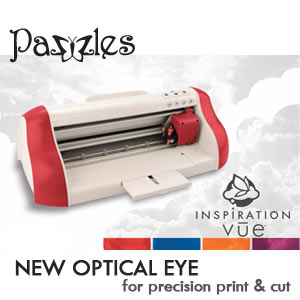
Inspiration - Vue Print and Cut


 Click above image or following link if you would like to learn more about the NEW Inspiration Vue - $99 deal with the NEW optical eye for precision Print & Cut.

Saturday, 3 November 2012

Bonus FREEBIES!

Click here for the bonus FREEBIES  at Lettering Delights, select cart and log in.


Then take a look at the JUST RELEASED products HERE.


Friday, 2 November 2012

Nancy Kubo sets JUST RELEASED

Click on the following links to take you to the adorable Nancy Kubo - Fallen For You and Oishii graphic sets JUST RELEASED at Lettering Delights?


When you purchase the any sets you will be able to get the SNEAK PEEK products (below) at 50% saving this month!


Click HERE to buy any LD products.
At checkout you will be able to purchase Jankufuudo and Kanshasai products at 50% saving this month.


Thursday, 1 November 2012

You're so Scary card


It's such a fun time of the year for the kids so, I thought I would use this cute graphic and paper pack from Lettering Delights, together with a sketch from Decontstructed Jen - no 74 which I turned sideways.

I Print & Cut the image using my Pazzles Inspiration Creative Cutter.  If you don't want to Print & Cut you could use the cutting file from the same collection. 


I then stamped my sentiment using stamps from My Thoughts Exactly.


I love the selection of papers in the paper pack.  All these files would be great for a scary themed party throughout the year.


Supplies:-

My Thoughts Exactly - Fright Night Phrases

Check out other products HERE.

Tuesday, 30 October 2012

Halloween Stationary Box Container!


It's getting so close to Halloween and my kids can't wait to eat these Halloween treats!   So, I opened up my software and turned on my Pazzles Inspiration Creative Cutter and quickly got cutting! 


My daughter loves these gruesome cookie fingers which I bought recently.  The only problem is that I didn't know how to gift wrap them.


I took a look in the Pazzles Craft Room Library and found this Stationery Box which was just the perfect container.  I downloaded it from the Pazzles Craft Room, imported it into my software, cut, and there I had my container.  I must admit that I did make my extra front and side elements so I could decorate it with my patterned paper.


I used one of my sentiment stamps for the front which I layered using 2 of my trusty punches.


I then stamped this cute bat from the same stamp set by My Thoughts Exactly and used my epoxy stickers for the first time.  I attached some wire to the back so it looked like the bats were flying!


I was so pleased that this Stationery Box from the Pazzles Craft Room Library as it turned out to be the perfect container for my Halloween treats.  

Now off to share them out amongst the kids!

I have entered this project into the Die Cutting Divas Challenge #89 : Anything Goes.

Add us to your blog!

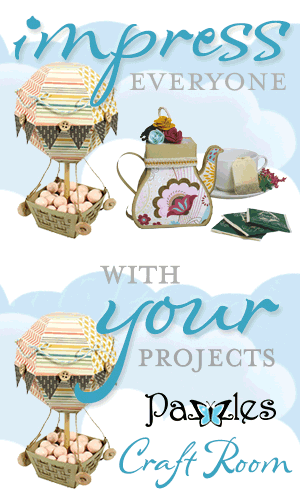
Impress everyone with your projects from Pazzles Craft Room

Click here if you would like to learn about the benefits of 
joining the Pazzles Craft Room where you will find files like this and many more.


 If you would like to learn more about the Pazzles Inspiration Creative Cutter  please click the image above and be inspired!


Monday, 29 October 2012

Coffin Treat Box


I have got to tell you the Pazzles Craft Room has recently been improved no end!  I have been loving the projects over the last few weeks and there are some great NEW files in the library to download every Friday, 
as well as the collections.

So, click here if you would like to learn about the benefits of subscribing to the Pazzles Craft Room.

Periodically, I will be picking some files from the library that will hopefully inspire you to join such a great community.

This week I decided to make this Coffin Treat Box which is in the Holidays - Halloween section of the library using my Pazzles Inspiration Creative Cutter.


I used some double sided patterned paper that I bought many years ago, which I thought would work with the coffin theme.  The file cut out perfectly, 1st time!  I assembled my box and them the fun part......to decide what embellishments to use.  The kids are on 1/2 term holidays at the moment so it had to be a quick project.

I wrapped the box in some red netting, adhered a paper flower that I bought from a craft fair at the beginning of the summer.  Then, I stamped some Halloween sentiments from My Thoughts Exactly - Fright Night Phrases.

I gotta tell you my 8yr old boy, Matthew loved this Coffin Treat Box.....not too scary!


CREAK.......just peeping.......what's in the box?


Chocolate skeletons!


 Better shut the box up quick!


Click here if you would like to learn about the benefits of 
joining the Pazzles Craft Room where you will find files like this and many more!

Impress everyone with your projects from Pazzles Craft Room

 If you would like to learn more about the Pazzles Inspiration Creative Cutter  please click the image below and be inspired!


Sunday, 28 October 2012

Batty For You - Halloween Treat Bags


I made some quick treat bags for Halloween with Print & Cut using my 

I love the Little Boo-ligans which is included in the Mega Monster Bundle Sale or you can Build Your Own Bundles and use 
Coupon Code : HoppyHalloween.
 

I made my own topper and used the paper from ....
Little Boo-ligans Paper Pack and Little Boo-ligans Graphic from Lettering Delights.


Treat yourself to lots of great product using Coupon Code : HoppyHalloween.